Why Tradies Need a CRM (And How to Choose One)
You're great at your trade. But if leads are falling through the cracks while you're on the tools, you need a system — not more hustle.
You're out on the tools five days a week. You're good at what you do — word travels fast. But enquiries are coming in faster than you can respond, quotes are getting forgotten, and that lead from last Tuesday? Gone. They booked someone else.
This is the most common growth problem in the trades — not a lack of leads, but a lack of system to manage them. That's exactly what a CRM solves.
This article breaks down what a CRM for tradies actually is, what it does, how to compare your options, and what to look for before you commit to one.
What Is a CRM (And Why Should Tradies Care)?
CRM stands for Customer Relationship Management. Stripped back, it's software that tracks every lead and customer in one place — who they are, where they came from, what stage of the sales process they're at, and what follow-up needs to happen next.
Think of it like a digital job board for your sales pipeline. Instead of relying on your memory, a notebook, or a messy WhatsApp thread, every enquiry is captured, tracked, and followed up automatically.
Here's why that matters for tradies specifically. When you're on the tools, you don't have time to chase leads. Most tradies respond to new enquiries hours later — or not at all. The first business to respond usually wins the job. A CRM puts a follow-up system in place so you're competitive even when you're on the roof.
Tradie reality check: The average trade business follows up a new lead within 4 hours. The average response time for a business using a CRM with automation? Under 5 minutes. That's the difference between winning and losing a job.
Signs You Need a CRM
Not sure if you actually need one? If any of the following sound familiar, the answer is yes.
- You've forgotten to follow up a lead — and found out later they went with someone else.
- Your quoting is all over the place — some leads get a quote same day, others wait a week.
- You can't tell where your jobs are coming from — Google? Facebook? A referral? You genuinely don't know.
- Customers slip through after a job's done — no review request, no repeat business outreach, nothing.
- You rely on your phone's call history to remember who to call back.
- As soon as you get busy, your follow-up drops off entirely — the feast/famine cycle continues.
That last one is the big one. The busier you get, the less time you spend on sales — so the moment a big job finishes, you're back to nothing in the pipeline. A CRM breaks that cycle because it follows up for you, regardless of how flat out you are.
Quick win: Even a basic CRM setup — just a pipeline with stages and one automated SMS — will immediately show you where leads are stalling. Most tradies are shocked how many quotes never got a follow-up.
What a Good Tradie CRM Does
A good trade business CRM handles more than just contacts. Here's what you should expect from a properly set-up system.
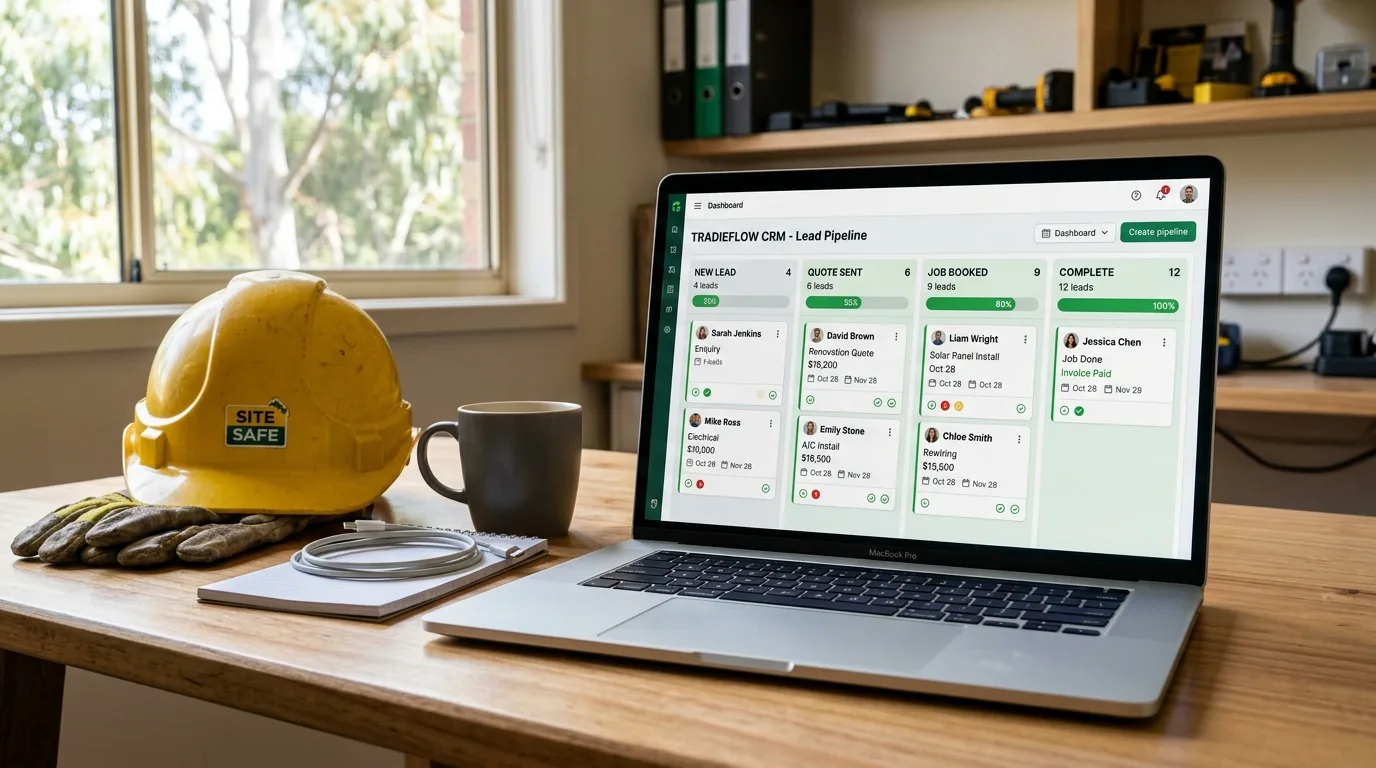
A clear pipeline you can see at a glance
Every lead moves through stages: New Enquiry → Quote Sent → Following Up → Won → Job Complete. You open the app and immediately know what needs action today. No guessing, no spreadsheet archaeology.
Active Pipeline — This Week
12 active leadsA CRM pipeline shows exactly where every lead sits — and what action is needed today.
Automated contact capture
When someone fills in your website form or calls your tracked marketing number, their details go straight into the CRM — no manual entry. The lead is logged, tagged by source, and a follow-up sequence kicks off automatically.
Review requests on autopilot
Once a job is marked complete, the CRM automatically sends the customer a Google review request. Most tradies see their review count double within the first month. More reviews = better local rankings = more jobs.
Full contact history
Every call, every SMS, every email — logged against the contact. When a customer rings back six months later, you know exactly what work was done, what was quoted, and what they said.
Automating Your Follow-Ups
This is where a CRM earns its keep. Most lost jobs aren't lost because of price — they're lost because no one followed up.
When a lead comes in, a good CRM fires an immediate automated SMS — something like "Hey [Name], thanks for reaching out! I'll be in touch shortly to discuss your job." The lead knows someone's on it. Trust is established before you've even picked up the phone.
Automated SMS follow-up — from first contact to review request, without lifting a finger.
The sequence typically looks like this:
Lead Comes In
Form, call or ad — contact captured instantly
Auto-Assign
Tagged, prioritised and added to pipeline
Auto Follow-Up
SMS sent in under 5 mins — no manual action
Book the Job
Booking link sent — customer self-schedules
Four-step automated pipeline — from first enquiry to booked job.
If the customer doesn't respond to the first follow-up, a second message goes out the next day. Then a third on day three. Most tradies report converting leads they would have previously lost entirely — just because the follow-up kept happening automatically.
Comparing CRM Options for Tradies
Here's a straight-up comparison of the four most common options tradies consider. We've kept it honest — each tool has its strengths.
| Feature | GoHighLevel Recommended | ServiceM8 | Tradify | Jobber |
|---|---|---|---|---|
| Lead pipeline / CRM | ✓ Full pipeline | Basic | Basic | Basic |
| SMS automation | ✓ Advanced | ✗ | ✗ | Limited |
| Email automation | ✓ Full sequences | Basic | ✗ | Basic |
| Booking calendar | ✓ Built-in | ✓ | ✓ | ✓ |
| Invoicing | ✓ Included | ✓ Strong | ✓ Strong | ✓ Strong |
| Review automation | ✓ Automated | ✗ | ✗ | Manual |
| Website / landing pages | ✓ Full builder | ✗ | ✗ | ✗ |
| Lead source tracking | ✓ Advanced | ✗ | ✗ | Basic |
| Mobile app | ✓ Full-featured | ✓ | ✓ | ✓ |
| Best for | Growing trade businesses that want everything in one place | Field service ops focus | Simple quoting & scheduling | Mid-size teams, US market |
Our honest take: ServiceM8, Tradify, and Jobber are solid job management tools — great for scheduling and invoicing. But they're not CRMs. They don't have the lead pipeline, SMS automation, or follow-up sequences that stop jobs from falling through the cracks.
GoHighLevel is the platform Sora uses and sets up for every client. It's an all-in-one system — CRM, automation, booking, website forms, review requests, and a mobile app — built for businesses that want to grow. Once it's running, it genuinely works in the background while you're on the tools.
Pro tip: Don't judge a CRM by its feature list. Judge it by whether it'll actually get set up and used. A simpler tool that runs well beats a feature-heavy one that never gets configured. This is why getting it set up by someone who knows what they're doing matters more than the platform choice itself.
If you're running Google Ads, a CRM that tracks lead sources is non-negotiable — you need to know which keywords are generating booked jobs, not just clicks.
What to Look for When Choosing
Before you commit, here's the checklist we run through with every trade client before recommending a tradie CRM software.
CRM Buying Checklist for Tradies
The setup question matters most. The #1 reason CRMs don't stick is because they weren't set up properly from day one. Tradies try a CRM, have no pipeline or automations running, and conclude "it doesn't work." It's not the tool — it's the setup. Always ask: who's going to configure this, and how long will it take?
Frequently Asked Questions
Do I really need a CRM as a tradie?
If you're getting more than 5–10 enquiries a week, yes. Without a system, leads fall through the cracks — a missed follow-up call becomes a lost job. A CRM automates the follow-up so nothing slips through, even when you're on the tools all day.
What's the difference between a CRM and job management software?
Job management software (like Tradify or ServiceM8) focuses on scheduling, invoicing, and running jobs. A CRM focuses on managing leads, follow-ups, and the sales pipeline. GoHighLevel does both — it's an all-in-one platform that handles everything from first enquiry to completed job and review request.
How long does it take to set up a CRM for my trade business?
A basic CRM setup — pipeline stages, contact form integration, and automated SMS follow-up — can be done in a week. A full setup with booking system, review automation, and lead nurture sequences takes 2–3 weeks. Sora handles the full setup for clients so you're not configuring software when you should be on the tools.
Is GoHighLevel good for tradies?
Yes — it's the platform Sora recommends and sets up for every client. It combines CRM, SMS/email automation, booking calendar, website forms, review automation, and a mobile app. For a trade business that wants to grow, it's the most complete solution available. The learning curve is real, but with proper setup and training it runs itself.